The Technology
Behind The DeanBear Chronicles
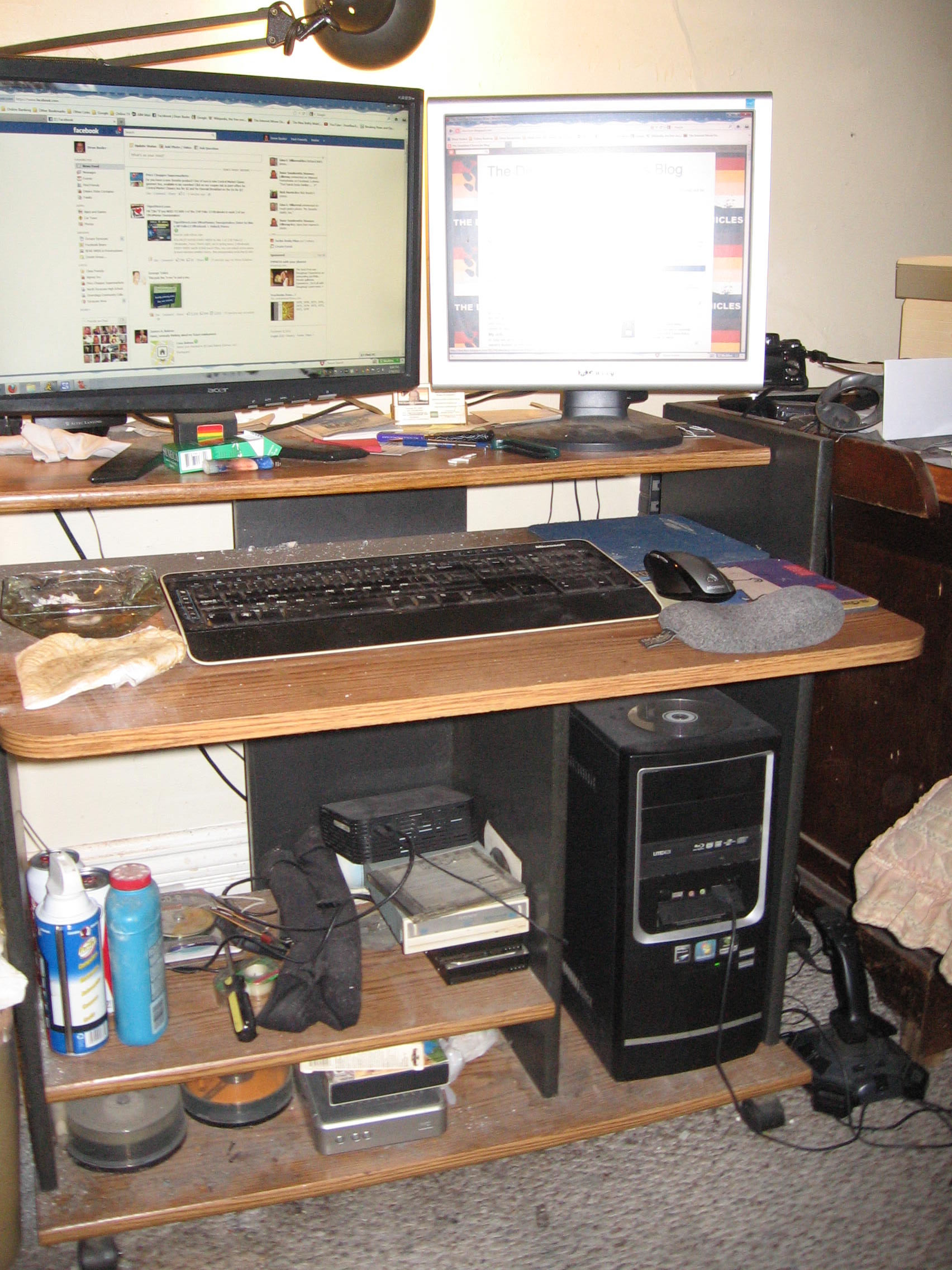
What does Dean use
to produce The Chronicles? You would think that I am some sort of über-geek,
with the hottest tech and software to produce my show, but that ain't the
truth. I pretty much use standard consumer-grade computer, video, and
photographic hardware and software to accomplish my tasks.
The Hardware:
Hardware
|
|
|
Function |
Main
Workstation |
|
CPU |
AMD Phenom
II X3 700e Triple Core |
|
Clock Speed |
2.4 Ghz |
|
Memory |
8 Gb |
|
HardDisk |
1.5 Tb
Seagate Barracuda SATA*
|
|
Video Card |
Galaxy
Microsystems Nvidia GeForce GT520 with 1 Gb DDR3 memory, and HDMI, DVI,
and VGA ports. |
|
Monitors |
Acer 22”
Widescreen LCD, Gateway 17" LCD |
|
Audio |
Onboard
AC'97 audio |
|
Speakers |
Altec
Lansing BX1120 |
|
Optical
Drive |
Lite-On
Double-layer Blu-ray Player/DVD/CD-RW with Lightscribe SATA* |
|
Keyboard |
Microsoft
Internet Keyboard Pro |
|
Mouse |
Microsoft
Comfort Optical Mouse 3000 |
|
Operating
System |
Microsoft
Windows 7
Professional SP1 |
* - Serial ATA
The Imaging
Hardware:
The cameras that I
use are not much to speak of. For the actual video shooting, I use a Canon
ZR930 MiniDV camcorder. It shoots in 16:9 format, 1280 X 720p (progressive
scan.) It's not full 1080p, but for posting videos to YouTube, it's pretty damn
good for the task. Now that I am doing video blogging, I needed something
more flexible for video work. For that, I use a Cisco
Systems Flip UltraHD camcorder. For still photography, I use a Canon
PowerShot A720 IS, an 8 megapixel point and shoot camera with a DIGIC III
signal processor, integrated image stabilization, and has a 2 gigabyte SD memory
card. This camera was purchased at the Salvation Army store for $15 (a
remarkable find,) and the ZR930 and UltraHD were purchased online at TigerDirect.
In addition, I do take some photos using the 5 megapixel camera that is built
into my T-Mobile G2 smartphone.
The Software:
The software that I
use is pretty much consumer-grade, like the hardware. First off, the video
editing software that I use is Sony
Vegas Movie Studio Platinum. In the early episodes of the Chronicles I
used Windows Movie Maker (because it was there) but I found that I needed
something a little more powerful and flexible to be really creative. I
debated using Avid/Pinnacle Studio (since I used to use it when I first started
doing video work) but because of the system I had at the time (my Gateway system
that shit the bed) the Pinnacle software required more system resources than I
had. I had heard a lot of good reviews about Sony Vegas, so I
downloaded the trial version and was hooked! The system overhead isn't
that much compared to Pinnacle Studio, and the interface was much more
user-friendly. For working with my photo files, I manage all my photos
using Cerious Software's
ThumbsPlus. Photo editing is accomplished using Picasa
3.0 and The GIMP (why pay for Photoshop when there
are nice free programs out there to
use?) I don't have the need to use Photoshop for serious photo
editing. Writing scripts is accomplished using OpenOffice
Writer 3.3,
and editing my webpages is done with Microsoft FrontPage 2000. Uploading
to my website is done using FileZilla
3.5, an open-source FTP
(file transfer protocol) client. Blog editing is done using Microsoft
LiveWriter, mainly because it interfaces quite nicely with Blogger
and WordPress.
So that is what is
used to help bring the Chronicles to you. Cheap, quick, and dirty.
Return
to the Home Page